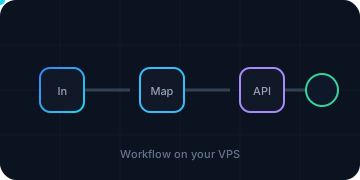
Choose the route: custom reference or existing deployment
No n8n template was found in the reviewed InterServer marketplace catalog. This article provides a complete AiXVPS custom reference deployment, not a vendor one-click claim. It uses pinned n8n, Postgres and Caddy containers on a supported Linux host, with no public database or n8n container port.
Use two slices/4 GB as the initial hypothesis for a small installation, not a capacity guarantee. Complete host setup first, including named administrator, SSH recovery, firewall, DNS, time and Docker/Compose verification.
If n8n already exists, do not create this stack beside it. Discover and adapt instead:
docker ps --format 'table {{.Names}}\t{{.Image}}\t{{.Status}}\t{{.Ports}}'
docker compose ls
systemctl list-unit-files --type=service --no-pager
ss -lntup
find /opt /srv /root -maxdepth 4 \
  \( -name 'compose.yml' -o -name 'compose.yaml' -o -name 'docker-compose.yml' \) \
  -print 2>/dev/null
Record the actual project directory/file, n8n image/version, database, named volumes/bind mounts, writer/worker services, proxy and canonical URL without printing environment secrets. Existing systems use the later backup/update sections with their discovered paths and exact pins. If discovery finds anything you do not understand, stop rather than overwrite it.
Preflight: DNS, resources and protected secrets
Choose a dedicated hostname such as automation.example.com; replace every example with yours. Confirm public A—and only valid AAAA—records point to this VPS. TCP 80/443 must reach Caddy, and no other service may own those ports. Do not expose 5432, 5678 or 11434.
free -h
df -hT /opt /var/lib/docker
docker version
docker compose version
ss -lnt '( sport = :80 or sport = :443 or sport = :5432 or sport = :5678 )'
getent ahostsv4 automation.example.com
Keep enough free disk for a complete plaintext staging export, database dump and restored drill in addition to normal data. Create an eligible manual rollback point if desired, but do not call it application-consistent. Prepare the independent Restic destination in the lifecycle guide before storing valuable credentials.
Install password-manager entries for the future n8n owner, database password, stable credential-encryption key and repository password. This reference uses n8n’s documented _FILE mechanism for sensitive n8n/Postgres values rather than putting passwords directly in Compose or the terminal. The official database reference lists DB_POSTGRESDB_PASSWORD / _FILE, and the deployment reference documents its file-based configuration mechanism and links to keeping sensitive data in separate files. The database connection and post-restart credential-decryption tests below remain required runtime acceptance; Compose parsing alone does not prove them.
Reference versions and why each service exists
At drafting on 2026-11-05, the official n8n Docker page showed stable n8n 2.46.6. n8n’s database support policy supports the latest two maintained Postgres majors plus one compatibility major and recommends the latest minor in the selected major. This example pins Postgres 17.11. Caddy 2.11.9 is the selected HTTPS proxy.
| Service | Image pin | Exposure | Persistent state |
|---|---|---|---|
| n8n | n8nio/n8n:2.46.6 |
expose only to internal proxy network |
n8n_data at /home/node/.n8n |
| Postgres | postgres:17.11 |
no host port | postgres_data at /var/lib/postgresql/data |
| Caddy | caddy:2.11.9 |
public 80 and 443 only |
Caddy data/config volumes |
These tags existed in Docker Hub when checked. They are not promises of future security or compatibility. Before installation/update, read current n8n release notes and Postgres/Caddy changelogs, verify tags/digests, and test the combination on a disposable target. Do not switch to latest. Keep the exact old pin and digest for rollback.
Create the root-only project and secret files
Run as root/sudo on the new intended host. Create the project only after discovery found no existing n8n:
sudo install -m 700 -d /opt/aixvps/n8n/secrets
cd /opt/aixvps/n8n || exit 1
sudo chmod 700 /opt/aixvps/n8n /opt/aixvps/n8n/secrets
Create each secret using a password manager/generator. read -s avoids displaying the value; umask and chmod restrict the file. Do not reuse the n8n encryption key as database password or Restic password.
cd /opt/aixvps/n8n || exit 1
umask 077
read -r -s -p 'Random Postgres password: ' secret; printf '\n'
printf '%s' "$secret" | sudo tee secrets/postgres_password >/dev/null
unset secret
read -r -s -p 'Stable random n8n encryption key: ' secret; printf '\n'
printf '%s' "$secret" | sudo tee secrets/n8n_encryption_key >/dev/null
unset secret
sudo chown 999:999 secrets/postgres_password
sudo chown 1000:1000 secrets/n8n_encryption_key
sudo chmod 600 secrets/postgres_password secrets/n8n_encryption_key
For this selected Postgres build, the image metadata creates postgres as UID/GID 999; n8n runs as node UID 1000. File-backed Compose secrets preserve host ownership/mode, so these assignments let the intended non-root processes read their own files while the host directory remains mode 700. If you change image/registry/platform, inspect and adapt these UIDs rather than assume them.
Save independent copies in your password manager before continuing. Losing or changing the n8n encryption key can make saved credentials unreadable. Never regenerate it on restart. These root-only files are part of the required recovery set, but the generic export handles them separately rather than disguising a raw .env as redacted configuration.
Create a non-secret project environment file:
cd /opt/aixvps/n8n || exit 1
sudo tee .env >/dev/null <<'EOF'
N8N_DOMAIN=automation.example.com
TZ=America/Los_Angeles
POSTGRES_USER=n8n
POSTGRES_DB=n8n
EOF
sudo chmod 600 .env
Replace domain and timezone. .env here contains no password, but still keep it private; future edits can accidentally add secrets. The backup procedure requires a separately reviewed redacted deployment artifact, not an assumption that every .env is safe.
Compose: private database, internal n8n, public HTTPS only
Create /opt/aixvps/n8n/compose.yml and Caddyfile:
cd /opt/aixvps/n8n || exit 1
sudo tee compose.yml >/dev/null <<'YAML'
name: aixvps-n8n
secrets:
  postgres_password:
    file: ./secrets/postgres_password
  n8n_encryption_key:
    file: ./secrets/n8n_encryption_key
services:
  postgres:
    image: postgres:17.11
    restart: unless-stopped
    secrets: [postgres_password]
    environment:
      POSTGRES_USER: ${POSTGRES_USER}
      POSTGRES_DB: ${POSTGRES_DB}
      POSTGRES_PASSWORD_FILE: /run/secrets/postgres_password
    volumes:
      - postgres_data:/var/lib/postgresql/data
    networks: [backend]
    healthcheck:
      test: ["CMD-SHELL", "pg_isready -U $${POSTGRES_USER} -d $${POSTGRES_DB}"]
      interval: 10s
      timeout: 5s
      retries: 12
      start_period: 20s
  n8n:
    image: n8nio/n8n:2.46.6
    restart: unless-stopped
    secrets:
      - postgres_password
      - n8n_encryption_key
    depends_on:
      postgres:
        condition: service_healthy
    environment:
      DB_TYPE: postgresdb
      DB_POSTGRESDB_HOST: postgres
      DB_POSTGRESDB_PORT: 5432
      DB_POSTGRESDB_DATABASE: ${POSTGRES_DB}
      DB_POSTGRESDB_USER: ${POSTGRES_USER}
      DB_POSTGRESDB_SCHEMA: public
      DB_POSTGRESDB_PASSWORD_FILE: /run/secrets/postgres_password
      N8N_ENCRYPTION_KEY_FILE: /run/secrets/n8n_encryption_key
      N8N_ENFORCE_SETTINGS_FILE_PERMISSIONS: "true"
      N8N_HOST: ${N8N_DOMAIN}
      N8N_PROTOCOL: https
      N8N_PROXY_HOPS: 1
      WEBHOOK_URL: https://${N8N_DOMAIN}/
      GENERIC_TIMEZONE: ${TZ}
      TZ: ${TZ}
      EXECUTIONS_TIMEOUT: 300
      EXECUTIONS_TIMEOUT_MAX: 3600
      EXECUTIONS_DATA_PRUNE: "true"
      EXECUTIONS_DATA_MAX_AGE: 168
      EXECUTIONS_DATA_PRUNE_MAX_COUNT: 10000
      N8N_CONCURRENCY_PRODUCTION_LIMIT: 10
    volumes:
      - n8n_data:/home/node/.n8n
    networks: [backend, web]
    expose:
      - "5678"
  caddy:
    image: caddy:2.11.9
    restart: unless-stopped
    environment:
      N8N_DOMAIN: ${N8N_DOMAIN}
    depends_on:
      - n8n
    ports:
      - "80:80"
      - "443:443"
      - "443:443/udp"
    volumes:
      - ./Caddyfile:/etc/caddy/Caddyfile:ro
      - caddy_data:/data
      - caddy_config:/config
    networks: [web]
networks:
  backend:
    internal: true
  web:
volumes:
  n8n_data:
  postgres_data:
  caddy_data:
  caddy_config:
YAML
sudo tee Caddyfile >/dev/null <<'EOF'
{$N8N_DOMAIN} {
    encode zstd gzip
    reverse_proxy n8n:5678
}
EOF
sudo chmod 600 compose.yml Caddyfile
The official Compose service specification requires explicit per-service secret grants; file-backed secrets bind-mount the source with its host ownership/mode. The two UIDs and mode 600 above are therefore intentional, not generic root:root permissions.
Caddy’s Caddyfile documentation supports the {$ENVIRONMENT_VARIABLE} placeholder and reverse_proxy. Compose explicitly passes the domain into Caddy’s environment; .env alone would not do that. The internal backend prevents egress from the database network; n8n also joins web so it can reach required external APIs. Postgres has no route through web and no host port.
The execution timeout is five minutes by default, maximum one hour for workflow overrides; execution history is pruned after seven days/10,000 entries; production concurrency is capped at 10. These are conservative editorial starting limits, not n8n or InterServer recommendations. Current official execution variables name the concurrency setting N8N_CONCURRENCY_PRODUCTION_LIMIT. Task runners are built into n8n 2.x; do not copy old N8N_RUNNERS_ENABLED=true advice into this version. Queue mode/workers/Redis are intentionally outside this single-host baseline.
Validate before launch
Check variable interpolation without printing secret contents, validate Compose, and inspect effective public ports:
cd /opt/aixvps/n8n || exit 1
sudo test "$(stat -c '%a' secrets/postgres_password)" = 600
sudo test "$(stat -c '%a' secrets/n8n_encryption_key)" = 600
sudo test -s secrets/postgres_password
sudo test -s secrets/n8n_encryption_key
# Verify container UIDs without starting the services or printing secrets.
test "$(sudo docker compose run --rm --no-deps --entrypoint sh n8n -c 'id -u')" = 1000
test "$(sudo docker compose run --rm --no-deps --entrypoint sh postgres -c 'id -u postgres')" = 999
sudo docker compose config -q
sudo docker compose config | grep -E '^[[:space:]]+(image:|- "?(80|443|5678|5432))'
sudo docker compose pull
sudo docker compose up -d
sudo docker compose exec postgres test -r /run/secrets/postgres_password
sudo docker compose exec n8n test -r /run/secrets/n8n_encryption_key
sudo docker compose ps
config -q catches structure/interpolation problems; it does not prove application compatibility or secret correctness. Never post full rendered config if you later add inline secrets.
Now check readiness through the public proxy:
curl --fail --silent --show-error \
  https://automation.example.com/healthz/readiness >/dev/null
curl --fail --silent --show-error \
  https://automation.example.com/healthz >/dev/null
sudo ss -lntup
sudo docker compose logs --no-color --tail=100 postgres n8n caddy
The official monitoring documentation says /healthz/readiness returns 200 when the database is connected and migrated; /healthz alone does not prove database state. Treat curl failure, an unhealthy container or unexpected public 5432/5678 listener as failed launch. Logs can contain sensitive URLs/data; review privately, not in a public ticket.
Open the HTTPS URL in your browser, create the owner account with a unique password, and enable available account security appropriate to your plan. Do not use the encryption key or database password as owner password.
First workflow and persistence acceptance
Create a manual-only workflow with no incoming webhook, schedule, email or external write. A simple Set/Debug workflow is sufficient for the first test. Create a controlled credential test only if the credential has no production privileges.
Run one manual execution and verify it finishes within timeout, appears in history, causes no unexpected external side effect, logs no migration/credential decryption error, and leaves memory/disk within budget.
Test persistence deliberately:
cd /opt/aixvps/n8n || exit 1
sudo docker compose restart n8n
curl --retry 12 --retry-all-errors --retry-delay 5 --fail \
  https://automation.example.com/healthz/readiness >/dev/null
sudo docker compose exec n8n printenv N8N_ENCRYPTION_KEY_FILE
The last command should print only the path /run/secrets/n8n_encryption_key, never the key. Confirm the test workflow/credential still works after restart. Do not print N8N_ENCRYPTION_KEY, env, secret-file contents or full Compose environment.
Now run a complete backup and isolated restore before enabling schedules, production webhooks or valuable credentials.
Day two: observe work, not just container uptime
At a regular interval, privately record:
cd /opt/aixvps/n8n || exit 1
sudo docker compose ps
sudo docker stats --no-stream
free -h
df -hT /opt /var/lib/docker
sudo journalctl -k --since '-24 hours' | grep -Ei 'oom|out of memory|killed process' || true
curl --fail --silent --show-error \
  https://automation.example.com/healthz/readiness >/dev/null
Also inspect execution failures, queue/wait time, database growth and workflow runtime. Container uptime does not detect a workflow loop, full execution table, expired API credential or blocked external model.
- Concurrency: lower when RAM/CPU or downstream APIs saturate; raise only after measurement. More slices do not make an unbounded queue safe.
- Pruning: shorter retention reduces growth but deletes operational history. Align with audit needs before changing 168 hours/10,000 rows.
- Binary/external data: database pruning may not cover every custom path. Discover external/blob storage and include it in exports.
- Metrics:
/metricsis disabled by default and can expose operational data. If enabling it, restrict and authenticate scraping; do not publish it openly. - Credentials: use least privilege and separate test/production credentials. Rotate deliberately; preserve the n8n encryption key rather than rotating it routinely.
Backup the complete recovery set
Workflow JSON alone is not enough. Preserve n8n state, encryption material, Postgres, exact images/config, custom nodes, binary/external data and worker configuration. This reference’s required paths include named volumes plus compose.yml, Caddyfile, .env and two secret files.
Use the fail-closed export and Restic procedure in billing, backup and cancellation. Discover named-volume host paths with:
docker volume inspect aixvps-n8n_n8n_data --format '{{.Mountpoint}}'
docker volume inspect aixvps-n8n_postgres_data --format '{{.Mountpoint}}'
Do not copy a live Postgres data directory as database export. Pause all n8n writers and use pg_dump while Postgres remains available. Keep n8n state and secret material protected, hash the manifest, upload encrypted, and prove isolated recovery before treating backup as successful.
Update intentional pins, never rebuild the VPS
- Read current n8n, Postgres and Caddy release notes. Check database-major support and breaking changes.
- Record current image tags/digests and known-good configuration privately.
- Pause external producers as required; complete checked backup, Restic
check --read-data, and recent isolated restore. - On a disposable clone, test exact target versions and migrations first.
- Change only intended image pins in the actual discovered Compose file. Do not change Postgres majors with in-place
pull; plan dump/restore migration. - Pull, recreate and verify:
cd /opt/aixvps/n8n || exit 1
# Edit compose.yml deliberately; retain previous pins in your private record.
sudo docker compose config -q
sudo docker compose pull
sudo docker compose up -d
sudo docker compose exec postgres test -r /run/secrets/postgres_password
sudo docker compose exec n8n test -r /run/secrets/n8n_encryption_key
sudo docker compose ps
curl --retry 12 --retry-all-errors --retry-delay 5 --fail \
  https://automation.example.com/healthz/readiness >/dev/null
- Test credential decryption, manual workflow, controlled webhook and persistence. Keep producers disabled until acceptance.
- If update fails, stop writers and follow the tested rollback. Image rollback does not automatically reverse database migration; restore matching pre-update database if required. Never use InterServer reinstall/template rebuild as rollback.
Failure and scale decisions
| Symptom | Safe first checks | Do not do |
|---|---|---|
| Readiness fails | compose ps, Postgres/n8n logs, migrations, DB credentials |
Treat /healthz alone as ready |
| Credentials unreadable after move | Verify original stable encryption-key secret and ownership | Generate a new key to “fix” it |
| Certificate fails | DNS A/AAAA, 80/443 reachability, Caddy logs, port owners | Disable TLS verification |
| Webhooks loop/wrong URL | WEBHOOK_URL, canonical host, proxy hops, producer logs |
Run two active restored writers |
| OOM/timeouts | docker stats, memory, concurrency, payload/model size |
Add unlimited concurrency or rely on swap |
| Disk full | Database/execution/binary/log/repository growth | Run docker system prune --volumes blindly |
| Database port exposed | ss, Compose ports, firewall; close and investigate |
Rely on strong password alone |
Scale slices after measuring the bottleneck. Split Ollama, Postgres or workers when isolation or release cadence justifies it. Move to managed n8n when operator time and recovery obligations cost more than the VPS saving. Before any exit, export and restore-test; monthly billing does not make cancellation non-destructive.
Primary application references: n8n Docker, deployment variables, execution variables, database variables/support, monitoring, Caddyfile, and InterServer marketplace. Checked 2026-11-05. No live InterServer deployment was performed by AiXVPS.