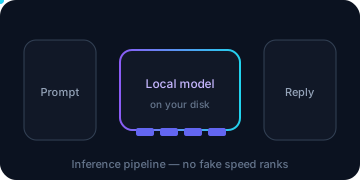
Choose the architecture before the model
InterServer’s ordinary Linux KVM is an application host, not evidence of a GPU. The cleanest small architecture is often n8n and its database on the VPS while a hosted model API performs inference. That keeps model weights and KV/context memory off the VPS but introduces API cost, credentials, privacy and external availability considerations.
| Goal | Starting architecture | Editorial resource hypothesis | Exit / split trigger |
|---|---|---|---|
| n8n with hosted models | Custom n8n + private Postgres + HTTPS | 2 slices / 4 GB | More executions or connected apps |
| One small local model | Separate bounded Ollama service, CPU only | 2 slices / 4 GB test floor | OOM, swap, unacceptable latency, larger context |
| Multiple model/app services | Separate containers with explicit networks | 4–8 slices / 8–16 GB | Shared CPU/no GPU makes split or external inference safer |
| Coolify / Nextcloud / Immich | Official template plus app-specific discovery | Start from actual app requirements | Database, thumbnail/ML jobs or many users |
| HermesAgent template | Identify delivered software first | No RAM floor inferred | Actual app documentation and measurements |
| OpenClaw template | Treat page as hosting/server panel | Not an AI-agent sizing claim | If you wanted the AI agent, stop and choose correct software |
| CUDA / many model users | External inference or separate GPU/dedicated | Ordinary KVM not a GPU product | Any hard VRAM/CUDA requirement |
These are planning hypotheses, not InterServer measurements or minima. Model file size is not total resident memory: runtime, KV cache/context, concurrent requests, OS, Docker and n8n all need headroom.
Translate slices into a budget you can measure
One Linux slice is 2 GB RAM and 40 GB SSD; two are 4 GB/80 GB but still one vCPU; four are 8 GB/160 GB and two vCPU. More RAM does not automatically improve model tokens per second.
Before pulling anything, record free memory and storage:
free -h
swapon --show
lsblk -f
df -hT / /var/lib/docker
nproc
ss -lntup
systemctl --failed --no-pager
Reserve room for the operating system, database, proxy, logs, backup staging and an update’s temporary overlap. A model that nearly fills RAM is not a working deployment. Swap can prevent an abrupt failure in some cases but is not a model-capacity plan. Watch for OOM kills and latency rather than treating “the container is running” as success.
Manual Ollama on Docker: bounded and private
No Ollama template was found in the reviewed InterServer marketplace. Use the setup guide to verify the Docker template or install Docker through official OS documentation. The following is an AiXVPS custom reference, not an InterServer image.
The current Ollama Docker documentation uses ollama/ollama and port 11434. At draft time Docker Hub listed 0.40.15; recheck the release and release notes, then replace the example pin deliberately. Do not use latest for a reproducible deployment.
sudo install -m 700 -d /opt/aixvps/ollama
cd /opt/aixvps/ollama || exit 1
sudo tee compose.yml >/dev/null <<'YAML'
services:
  ollama:
    image: ollama/ollama:0.40.15
    restart: unless-stopped
    volumes:
      - ollama_models:/root/.ollama
    ports:
      - "127.0.0.1:11434:11434"
    healthcheck:
      test: ["CMD", "ollama", "list"]
      interval: 30s
      timeout: 10s
      retries: 5
      start_period: 30s
volumes:
  ollama_models:
YAML
sudo docker compose config -q
sudo docker compose pull
sudo docker compose up -d
sudo docker compose ps
curl --fail --silent --show-error http://127.0.0.1:11434/api/tags
The loopback publish means another remote computer cannot call the port directly. Do not change it to 0.0.0.0 or open 11434 in UFW to make n8n work. Model endpoints commonly lack the authentication/TLS you need for a public service.
The health check asks the local CLI to list models; it does not prove inference quality or capacity. Confirm the exact image digest and effective configuration in your private inventory.
Pull one small model and test one request
Choose a model/tag only after reading its official size, license and context requirements. Replace YOUR_SMALL_MODEL:TAG; do not infer fit from the word “small.”
cd /opt/aixvps/ollama || exit 1
df -h /var/lib/docker
sudo docker compose exec ollama ollama pull YOUR_SMALL_MODEL:TAG
sudo docker compose exec ollama ollama list
sudo docker compose exec ollama ollama run YOUR_SMALL_MODEL:TAG \
  'Return exactly: local inference smoke test passed'
Keep the first test to one request and a short context. During a separate controlled test, observe:
free -h
sudo docker stats --no-stream
sudo docker compose top
sudo journalctl -k --since '-15 min' | grep -Ei 'oom|out of memory|killed process' || true
df -hT /var/lib/docker
The absence of a new OOM log line is not a performance benchmark. Record actual prompt/context, response time, resident memory and failures privately. Increase context or concurrency one variable at a time. Stop if available memory collapses, swap grows continually, jobs time out, the kernel kills processes, or backups/updates no longer have room.
To remove a test model, list exact tags and run ollama rm EXACT_TAG inside the container only after confirming no dependent workflow. Never delete the whole named volume as routine cleanup.
Connect n8n without exposing Ollama
There are two safe patterns:
- Same controlled Compose project: attach n8n and Ollama to an internal Docker network, remove the host port publish when no host client needs it, and use
http://ollama:11434inside n8n. Merge configurations deliberately; do not overwrite the n8n project with the AI example. - Separate hosts/projects: use a private authenticated/TLS endpoint or an SSH/private-network path designed for it. Plain HTTP over the public internet and an unauthenticated open 11434 are not acceptable production shortcuts.
In n8n’s Ollama credential/model settings, use the reachable internal base URL and the exact pulled tag. First create a workflow with no schedule, external webhook or write action. Run a manual prompt test, then verify one known output. Only afterwards enable a bounded trigger.
Network names are scoped to a Compose project: two unrelated projects cannot resolve each other’s service names merely because both use Docker. Inspect docker network ls and docker inspect without exposing unrelated environment secrets. If joining existing projects, define an explicit shared network and change both configurations in a controlled update.
Docker, Coolify and app templates are not model runtimes
The Docker template provides a runtime starting point, not Ollama or n8n. Coolify can orchestrate applications but still needs its own memory, storage, credentials and upgrade process. Nextcloud and Immich are application templates; their media, database, thumbnail or optional machine-learning jobs can consume more than a minimal n8n workflow.
For every template, inventory before sizing or connecting:
docker ps --format 'table {{.Names}}\t{{.Image}}\t{{.Status}}\t{{.Ports}}'
docker compose ls
systemctl list-unit-files --type=service --no-pager
ss -lntup
df -hT
Do not print full container inspection output publicly: environment values can contain credentials. Read the current application’s official resource and update documentation. InterServer’s marketplace listing does not certify a version, secure configuration or AI capability.
HermesAgent and OpenClaw: avoid name-based purchases
HermesAgent 7900 is listed under Monitoring & Security. Its public page does not establish a model, AI runtime, exact version or RAM minimum. It may be useful after you identify the software, but it is not evidence of equivalence to another provider’s Hermes AI-agent offering.
OpenClaw 7576 is described as a web/server control panel covering web, database, DNS and email. Do not buy it expecting the similarly named AI agent. If your intended app has the same name, verify its source repository and installation docs independently rather than relying on the marketplace label.
These are purchasing stop conditions, not claims that either template is defective.
Scale, split or leave the ordinary VPS path
Scale slices when measured RAM/disk is the constraint and the application can use the new envelope. Confirm the resize mechanism, final monthly difference, IP behavior, stock and rollback before making the change.
Split services when Ollama competes with n8n/Postgres, when backup and inference I/O collide, or when independent availability matters. Preserve a private secured connection and avoid two active n8n writers during migration.
Use external inference when model operations are occasional and API data/cost terms are acceptable. Use separate GPU/dedicated infrastructure when CUDA, VRAM, larger contexts or concurrent inference are hard requirements. Ordinary InterServer KVM’s shared vCPU and additional RAM do not satisfy those requirements by themselves.
Windows Hyper-V is also a separate product: two-slice/$10 entry, different recovery, and unknown exact license/version inclusion. Do not copy Linux Docker commands or KVM portal-backup instructions onto it.
Acceptance test
Before enabling real work, you should have one explicit model/tag, a private endpoint, an n8n manual smoke workflow with no side effects, measured RAM/disk during inference, no unexpected public listener, and a written scale/split/external trigger. Add the n8n production baseline and independent recovery plan before scheduled jobs or valuable credentials.