Decide where the model actually runs
RackNerd’s AI VPS catalog combines an ordinary KVM host with one-click application deployment. It is a fit for an always-on n8n instance, a model-connected chat/document app, or a tightly bounded CPU-model experiment. It does not make a 4 GB annual special a GPU server.
Start with the external-model architecture: application, reverse proxy, database, and model API. RackNerd stores the application state; the external provider charges for inference. This preserves the small host’s memory for orchestration but adds network dependency, data-governance decisions and a separate API budget. Never put a model key in a URL, public repository, command transcript or client-side JavaScript.
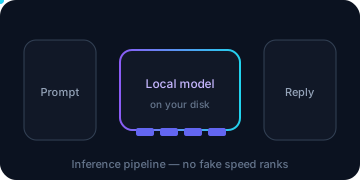
Local inference removes the per-token API bill but puts weights, runtime, context and concurrency inside the same RAM envelope. CPU-only responses can be much slower than a remote API. For sustained CUDA, large models, fine-tuning or media generation, compare external inference, a larger host, or RackNerd’s separate GPU dedicated sales path.
| Path | Where inference runs | What RackNerd owns | Main capacity trigger |
|---|---|---|---|
| Connected apps | External model provider | n8n/UI/database, secrets and integrations | RAM/disk from apps, histories, documents and concurrency |
| Bounded local test | Same KVM CPU/RAM | App plus model runtime and artifacts | Resident model + context + OS no longer leaves margin |
| Split hosts | Separate inference host | RackNerd app/orchestration only | Private networking, security and two-system recovery burden |
| GPU/dedicated | Specialized hardware | Depends on selected architecture | Cost, operations, residency and availability must be re-quoted |
Turn the published app floor into a host budget
The following are public ctrl floors checked 2026-11-05. They are not recommendations to fill the entire VPS.
| ctrl application | Published floor | Editorial starting interpretation |
|---|---|---|
| n8n | 2 vCPU / 2 GB | Meets the installation floor; prefer 4 GB when Postgres, proxy and AI tools share the host |
| Hermes Agent | 2 vCPU / 4 GB | External-model agent; preserve terminal access and dashboard privacy |
| AnythingLLM | 2 vCPU / 4 GB | Add document/vector storage and user concurrency to the base app |
| Ollama + Open WebUI | 2 vCPU / 4 GB | A small, deliberately bounded CPU test only; model memory is extra |
| LibreChat | 2 vCPU / 4 GB | Model/API and conversation-storage costs remain separate |
| OpenClaw | 4 vCPU / 8 GB | Start at 8 GB; tool workloads still need their own limits |
Use two independent budgets before ordering or installing.
Resident memory budget: available RAM - OS reserve - app/runtime peak - database - model/context/concurrency - export/recovery reserve. If this is negative or relies on swap to stay responsive, the workload does not fit. Model download size is not resident RAM. Quantization does not make KV cache or simultaneous requests free.
Disk budget: filesystem capacity - OS/reserved blocks - app images - database growth - model files - document/vector stores - logs - local export staging. Leave free-space margin for package updates and a checked backup; do not fill the last gigabytes with models.
On a running host, establish the baseline before loading a model:
printf '%s\n' '== Memory ==' && free -h
printf '%s\n' '== Root filesystem ==' && df -hT /
printf '%s\n' '== Largest first-level directories (read-only) =='
sudo du -x -h --max-depth=1 /opt /srv /var /usr/share/ollama 2>/dev/null | sort -h
printf '%s\n' '== Block devices ==' && lsblk -o NAME,SIZE,FSTYPE,MOUNTPOINTS
du can take time and I/O; run it during a quiet window. Do not delete model caches or container layers merely because they appear large. Attribute each path to the discovered application first.
Choose by scenario, not model enthusiasm
Light n8n with hosted models: the 2 GB annual special matches the listed app minimum but leaves limited room for a database, proxy, queue spikes and exports. Bound executions and history in the operations guide. Move to 4 GB when measurements show recurring pressure, not because “AI” appears in a workflow name.
n8n + Postgres + an AI UI: 4 GB is the safer starting envelope and aligns with RackNerd’s n8n production guidance. Split services when memory remains tight after limits, or when the inference runtime repeatedly starves the database.
AnythingLLM or LibreChat with external APIs: 4 GB meets the ctrl floor, but documents, embeddings/vector data, uploaded files and conversation retention create the long-term disk bill. Define deletion/export policies before inviting users.
Ollama on the same box: treat 4 GB as an experimental floor, not a general local-LLM recommendation. Start with one small artifact, one request and a short context. Model tags and requirements change; inspect the official model page before choosing anything larger. “8 GB RAM” is not permission to load an arbitrary 8 GB file.
OpenClaw or multiple connected agents: 8 GB meets the listed floor but not every workload. Constrain tool permissions, isolate secrets and measure concurrent processes. When a second runtime or substantial database competes for RAM, split the inference/app layers or choose a larger product.
Install or adopt the delivered Ollama topology
For a fresh ctrl app, complete the safe setup and inventory first. Never use one-click installation to add Ollama to an occupied n8n server—it reinstalls Ubuntu and erases existing data. If no Ollama service exists, follow the current official Ollama Linux documentation or the image’s own deployment mechanism. AiXVPS does not assume an install script, unit name or container layout that was not verified.
The discovery below is read-only except for systemctl access checks and prints service/container metadata, not configuration contents:
printf '%s\n' '== Native binary / unit =='
command -v ollama || true
systemctl list-unit-files 'ollama*' --no-pager
printf '%s\n' '== Listeners =='
sudo ss -lntp | grep -E '(:11434|:3000|:9119)\b' || true
printf '%s\n' '== Containers, if Docker exists =='
if command -v docker >/dev/null 2>&1; then
  sudo docker ps --format 'table {{.Names}}\t{{.Image}}\t{{.Ports}}\t{{.Status}}'
fi
For a standard native Linux install, official documentation places models under /usr/share/ollama/.ollama/models; that path does not automatically apply to containers or RackNerd images. Use the discovered unit/container mount configuration, but do not print its full environment. A native Ollama service defaults to 127.0.0.1:11434; preserve that loopback bind. It does not provide a safe public authentication boundary by itself.
Rollback boundary: package/container changes follow their own deployment mechanism. If a new model exceeds disk or RAM, stop/unload that model and remove only the artifact you intentionally added after confirming no other workload uses it. Do not run a fresh ctrl reinstall, and do not delete shared Docker volumes.
Run a bounded Ollama smoke test
Prerequisites: Ollama is discovered, bound privately, has enough disk/RAM, and no production workload is under load. The official smollm2:135m-instruct-q4_0 tag was 92 MB with an 8K context when checked. It validates installation and a small request—not useful-workload quality or throughput.
Use the native CLI only if discovery found it. This block downloads a model, so schedule the bandwidth/disk change:
MODEL='smollm2:135m-instruct-q4_0'
ollama pull "$MODEL"
ollama run "$MODEL" 'Reply with exactly: OLLAMA_OK'
ollama ps
curl --fail --silent --show-error --max-time 30 \
  http://127.0.0.1:11434/api/tags >/dev/null
printf '%s\n' 'Local Ollama API responded; model output was checked above.'
Do not publish /api/tags output if custom model names reveal private work. A 503 can indicate queue overload; parallel requests require additional memory. Stop rather than launching retries if the host becomes unresponsive or the service is killed.
Unload explicitly after the test to reclaim model memory:
ollama stop "$MODEL"
ollama ps
free -h
Official Ollama defaults unload models after five minutes; explicit unloading makes the test deterministic. If ollama stop is unavailable in an older deployment, follow that version’s official lifecycle commands rather than killing the whole database/app host. To release disk, first record exactly which tag you added, then use the current documented model-removal command after checking no other workload depends on it.
Keep model, agent and administration endpoints private
Do not expose 11434 publicly to let n8n reach Ollama. Prefer same-host loopback when processes share a network namespace. If n8n runs in Docker and Ollama is native, loopback inside the container is not host loopback; use a deliberate private container/host network route and a restricted bind, with the OS and ctrl firewalls verified from an external client. There is no universal safe hostname to paste without discovering the topology.
For Hermes, vendor material describes a dashboard on loopback port 9119. Use an SSH local tunnel from your workstation instead of publishing it. Replace the IP and key path:
ssh -N -T \
  -i "$HOME/.ssh/racknerd_ed25519" \
  -L 127.0.0.1:9119:127.0.0.1:9119 \
  deploy@203.0.113.10
In a second workstation terminal, open http://127.0.0.1:9119 only if that listener was confirmed by the current official Hermes documentation and your inventory. Close the tunnel with Ctrl+C when finished. If the connection is refused, verify the remote loopback listener and SSH access; do not substitute 0.0.0.0 binding.
n8n’s editor and webhook URLs have different trust requirements. Keep administration behind HTTPS and access controls, publish only necessary webhook routes through the reverse proxy, and follow the proxy-header and health runbook. AI apps’ setup tokens and database URLs are secrets; ss, docker ps and process discovery do not require printing them.
Verify capacity under one controlled workload
Run one real but non-destructive request, then repeat only after reviewing memory and disk. Use /usr/bin/time -v around a single CLI invocation if available, or record free, df and ollama ps before/during/after. Avoid synthetic “all cores” load on a production KVM because RackNerd requires fair-share CPU and I/O use.
printf '%s\n' '== Before ==' && free -h && df -h /
# Run ONE approved application request here; do not print its prompts or secrets.
printf '%s\n' '== After ==' && free -h && df -h /
if command -v ollama >/dev/null 2>&1; then ollama ps; fi
systemctl --failed --no-pager
Interpretation matters: available memory is not the same as free cache; a large cache can be healthy, while repeated OOM kills, failed services or swap-driven stalls are not. Watch logs through the discovered systemd/Compose mechanism. A single successful response proves functionality at that request only, not production capacity.
Failure handling: stop new requests, unload the test model, and preserve the failing service logs with secrets redacted. Restore the last known application configuration if you changed it. If the host is unreachable, use ctrl VNC; do not repeatedly reboot a database under memory pressure.
Split, upgrade, or leave using measured triggers
Move from 2 GB to 4 GB when n8n plus its database/proxy cannot maintain headroom under your bounded workload. Move from 4 GB to 8 GB when one small local runtime plus apps still exceeds the memory budget after context/concurrency limits. Treat 8 GB as an OpenClaw floor, not a promise that every agent toolchain fits.
Split the app and inference layers when you need independent restarts, a private model service, or different storage/network policies. This doubles patching and recovery scope; a private unauthenticated port is still not an authorization system.
Leave ordinary KVM when local model quality requires substantially more RAM, many simultaneous requests, sustained CPU, CUDA/VRAM, or large media scratch. Contabo’s 8–96 GB RAM ladder and provider snapshots address a different capacity/recovery tradeoff; compare exact carts in the Contabo review rather than assuming a winner. GPU dedicated hardware is another quote and operating model, not an in-place RackNerd VPS upgrade.
Before any move, use the versioned backup, isolated restore and cancel-old-last runbook. The acceptance test is a working new instance with credentials/database restored and no sensitive inference or admin port exposed—not merely a larger invoice.