Runbook scope. Examples are illustrative editorial scripts, not official Contabo scripts. Commands assume Bash on Ubuntu/Debian unless a workstation is specified; install the named tools, adapt paths and service names, and review each gate before running. Historical price, storage, and region examples retain the 4 November 2026 research context; this editorial date does not revalidate a checkout quote.
What this architecture is
AI automation on Contabo means the VPS is your reliable worker: it receives events, runs workflows, calls models (local or remote), writes artifacts, and notifies humans. Contabo does not need to “include AI” for this to be true. Contabo needs to be stable, reachable, and sized for queues and disk.
Media and document pipelines—auto-edit video, batch image jobs, document summarization—succeed or fail on substrate: webhook availability, queue backpressure, disk for intermediates, and credentials hygiene. Contabo’s value is making that substrate affordable. Your job is keeping a single runaway workflow from filling a 200 GB volume overnight.
This article maps architectures that fit Contabo Core/Performance, how n8n (including Contabo’s 1-click) participates, how video/image/pipelines should be staged, and when to split boxes. Pair with setup and local AI.
Operators inventory failure modes before they scale automation. On Contabo, the common ones are disk full, OOM killer, webhook timeouts, TLS renewals, and reused passwords. Design the happy path, then document the recovery path with equal detail. Contabo’s snapshots help only if you created them before the incident.
Reference architecture
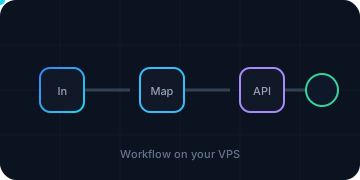
A durable Contabo pattern looks like this:
- Edge/events — webhooks, IMAP, S3-compatible object events, cron, human forms.
- Orchestrator — n8n (or similar) on Contabo, preferably on a dedicated mid-size VPS.
- Intelligence — local model endpoint on the same Contabo account (second VPS) or external AI APIs.
- Artifacts — object storage / Contabo disk paths with lifecycle rules you invent (delete intermediates after N days).
- Observability — execution logs, dead-letter workflows, disk alerts.
Draw it once. Contabo’s panel will not draw it for you. When something breaks, the diagram tells you whether to SSH the orchestrator or the model box.
Network-wise, prefer private URLs between Contabo instances when Contabo’s networking features allow, or wireguard tunnels you control. Avoid hairpinning every GPU call through the public internet if both boxes sit in Contabo.
n8n on Contabo as the automation spine
Starter: one n8n instance, Postgres, and an external task runner calling a remote LLM. This uses regular execution mode. It has no distributed queue or automatic failover. The task runner executes Code nodes; it is not an n8n queue worker. Keep large media outside execution payloads and pass artifact IDs or authorized object URLs instead.
Prerequisites: a new Ubuntu/Debian VPS with Docker Engine and a recent Compose v2 supporting up --wait, Bash, OpenSSL, and curl; at least a 12 GB planning envelope; a real DNS name; and a host-installed TLS proxy. Complete setup first. Use a new project directory, /opt/contabo-ai, owned by your administrative user. Existing 1-click installations require discovery and a migration, not pasting this over their files.
Create a private .env without printing secrets. This refuses to overwrite an existing file. Edit the empty fields privately: choose a currently supported n8n release at least 2.35 with matching runners, and a supported Postgres 17 minor release; copy platform-specific SHA-256 digests from their official registries. Review release notes before choosing. The exact n8n version must match its runner version.
set -euo pipefail
cd /opt/contabo-ai
umask 077
test ! -e .env || { echo '.env exists; preserve its keys' >&2; exit 1; }
DB_SECRET=$(openssl rand -hex 32)
ENCRYPTION_SECRET=$(openssl rand -hex 32)
RUNNER_SECRET=$(openssl rand -hex 32)
cat > .env <<ENV
N8N_VERSION=
N8N_DIGEST=
RUNNERS_DIGEST=
POSTGRES_VERSION=
POSTGRES_DIGEST=
N8N_HOST=
POSTGRES_PASSWORD=$DB_SECRET
N8N_ENCRYPTION_KEY=$ENCRYPTION_SECRET
RUNNERS_TOKEN=$RUNNER_SECRET
ENV
chmod 600 .env
unset DB_SECRET ENCRYPTION_SECRET RUNNER_SECRET
Save this as /opt/contabo-ai/compose.yaml. Required-variable expressions reject missing or empty values; the preflight below also rejects malformed pins. Persist the n8n volume even with Postgres. Keep the encryption key unchanged through upgrades, restores, and any future additional n8n processes; losing it makes stored credentials unusable.
name: contabo-ai
services:
  db:
    image: "postgres:${POSTGRES_VERSION:?Set a reviewed 17.x release}@sha256:${POSTGRES_DIGEST:?Set image digest}"
    restart: "on-failure:3"
    environment:
      POSTGRES_USER: n8n
      POSTGRES_DB: n8n
      POSTGRES_PASSWORD: "${POSTGRES_PASSWORD:?Set a random DB secret}"
      PGDATA: /var/lib/postgresql/data/pgdata
    volumes:
      - db_data:/var/lib/postgresql/data
    networks: [database]
    mem_limit: 2g
    logging: &logs
      driver: json-file
      options: {max-size: "10m", max-file: "3"}
    healthcheck:
      test: [CMD-SHELL, "pg_isready -U n8n -d n8n"]
      interval: 10s
      timeout: 5s
      retries: 12
  n8n:
    image: "docker.n8n.io/n8nio/n8n:${N8N_VERSION:?Set a reviewed release}@sha256:${N8N_DIGEST:?Set image digest}"
    restart: "on-failure:3"
    stop_grace_period: 120s
    ports: ["127.0.0.1:5678:5678"]
    networks: [database, app]
    volumes:
      - n8n_data:/home/node/.n8n
    environment:
      DB_TYPE: postgresdb
      DB_POSTGRESDB_HOST: db
      DB_POSTGRESDB_PORT: "5432"
      DB_POSTGRESDB_DATABASE: n8n
      DB_POSTGRESDB_USER: n8n
      DB_POSTGRESDB_PASSWORD: "${POSTGRES_PASSWORD:?Set DB secret}"
      N8N_ENCRYPTION_KEY: "${N8N_ENCRYPTION_KEY:?Set and back up one stable key}"
      N8N_HOST: "${N8N_HOST:?Set real public DNS name}"
      N8N_PROTOCOL: https
      N8N_PORT: "5678"
      N8N_WEBHOOK_URL: "https://${N8N_HOST:?Set real public DNS name}/"
      N8N_EDITOR_BASE_URL: "https://${N8N_HOST:?Set real public DNS name}/"
      N8N_PROXY_HOPS: "1"
      N8N_SECURE_COOKIE: "true"
      GENERIC_TIMEZONE: UTC
      TZ: UTC
      EXECUTIONS_MODE: regular
      N8N_CONCURRENCY_PRODUCTION_LIMIT: "2"
      EXECUTIONS_TIMEOUT: "120"
      EXECUTIONS_TIMEOUT_MAX: "300"
      EXECUTIONS_DATA_PRUNE: "true"
      EXECUTIONS_DATA_MAX_AGE: "168"
      EXECUTIONS_DATA_SAVE_ON_SUCCESS: none
      N8N_RUNNERS_MODE: external
      N8N_RUNNERS_BROKER_LISTEN_ADDRESS: 0.0.0.0
      N8N_RUNNERS_AUTH_TOKEN: "${RUNNERS_TOKEN:?Set runner secret}"
      N8N_COMMUNITY_PACKAGES_ENABLED: "false"
      NODES_EXCLUDE: '["n8n-nodes-base.executeCommand","n8n-nodes-base.readWriteFile"]'
    depends_on:
      db: {condition: service_healthy}
    mem_limit: 3g
    logging: *logs
    healthcheck:
      test: [CMD, node, -e, "require('http').get('http://127.0.0.1:5678/healthz/readiness',r=>process.exit(r.statusCode===200?0:1)).on('error',()=>process.exit(1))"]
      interval: 10s
      timeout: 5s
      retries: 18
      start_period: 30s
  runners:
    image: "n8nio/runners:${N8N_VERSION:?Must match n8n}@sha256:${RUNNERS_DIGEST:?Set matching runner image digest}"
    restart: "on-failure:3"
    networks: [app]
    environment:
      N8N_RUNNERS_TASK_BROKER_URI: http://n8n:5679
      N8N_RUNNERS_AUTH_TOKEN: "${RUNNERS_TOKEN:?Set runner secret}"
    depends_on:
      n8n: {condition: service_healthy}
    mem_limit: 1g
    pids_limit: 128
    cap_drop: [ALL]
    security_opt: [no-new-privileges:true]
    logging: *logs
networks:
  database: {internal: true}
  app: {}
volumes:
  db_data: {}
  n8n_data: {}
The DB has no published port and uses an internal network. n8n has outbound network access for APIs; the task broker port stays unpublished. The host proxy reaches 127.0.0.1:5678. A containerized proxy instead needs a shared network and the n8n service name; its localhost is not the host. Docker publishing can bypass UFW, which is why loopback binding matters.
For a host-installed Caddy, adapt this site block in its actual configuration. DNS and panel/guest ports 80 and 443 must be correct. Restrict first access to administrators until the owner account is claimed. The one-hop setting assumes Caddy is the sole proxy; update trust settings if your architecture differs.
automation.example.com {
    reverse_proxy 127.0.0.1:5678
}
Validate with sudo caddy validate --config /etc/caddy/Caddyfile before reloading the host service. Caddy supplies the forwarded headers; check the external HTTPS URL using the setup TLS runbook. The current n8n docs use N8N_WEBHOOK_URL; older deployments may still use its deprecated predecessor. Check your selected release rather than mixing version-specific examples.
VPS preflight and first start: source only this trusted, operator-created .env, with shell-safe assignments. Never enable shell tracing, print the file, or run a rendered docker compose config in shared logs.
set -euo pipefail
cd /opt/contabo-ai
set -a
. ./.env
set +a
[[ "$N8N_VERSION" =~ ^[0-9]+\.[0-9]+\.[0-9]+$ ]] || exit 1
IFS=. read -r MAJOR MINOR PATCH <<< "$N8N_VERSION"
(( MAJOR > 2 || (MAJOR == 2 && MINOR >= 35) )) || exit 1
[[ "$POSTGRES_VERSION" =~ ^17\.[0-9]+$ ]] || exit 1
for PIN in "$N8N_DIGEST" "$RUNNERS_DIGEST" "$POSTGRES_DIGEST"; do
  [[ "$PIN" =~ ^[a-f0-9]{64}$ ]] || exit 1
done
for SECRET in "$POSTGRES_PASSWORD" "$N8N_ENCRYPTION_KEY" "$RUNNERS_TOKEN"; do
  [[ "$SECRET" =~ ^[a-f0-9]{64}$ ]] || exit 1
done
[[ "$N8N_HOST" =~ ^[A-Za-z0-9.-]+$ ]] || exit 1
[[ "$N8N_HOST" != *.example.com ]] || exit 1
docker compose config --quiet
docker compose pull
docker compose up -d --wait --wait-timeout 180
curl -fsS --max-time 10 http://127.0.0.1:5678/healthz/readiness >/dev/null
curl -fsS --max-time 20 "https://$N8N_HOST/healthz/readiness" >/dev/null
Health checks do not prove runner registration or credential decryption. Inspect only the necessary redacted service logs privately, create the owner account over HTTPS, and test a harmless Code node if you intend to use one. Store an LLM API token in n8n's credential store, not a workflow field or Compose file. Build Manual Trigger → Edit Fields with a harmless short prompt → HTTP Request to the provider's documented HTTPS inference endpoint → inspect the response. Select the stored credential, a fixed endpoint/model, a 60-second request timeout, bounded output, and at most two retries for transient failures. Use the remote API's current request schema; avoid logging private prompts. Do not activate webhook or schedule triggers until this smoke test and TLS pass.
For durable event processing, assign an upstream event ID and enforce uniqueness in your application before a side effect. A retry can happen after a remote operation succeeded but its reply was lost. Keep an explicit failed-event list for human review. The sample saves no successful execution payloads, but errors and manual runs may still retain sensitive data; review retention and redact logs. The n8n hub covers broader sizing decisions; a distributed queue is a separate design requiring the full current upstream guide.
Video automation on a Contabo VPS
Video pipelines are disk and CPU dramas with an AI subplot. A realistic Contabo design:
- Ingest to object storage or a large Contabo volume—not to the root filesystem surprise path.
- n8n triggers on new object or webhook from your upload app.
- Worker step extracts audio/frames with ffmpeg on Contabo CPU.
- AI step: transcription/summary via local model or API.
- Optional: generate title/thumbnail copy via LLM; assemble edit decision list—not a full Hollywood render unless you sized for it.
- Stage verified artifacts for human approval; apply a scoped retention policy and record job status.
Where Contabo struggles: multi-track timeline renders that expect GPU editors, webcam-quality realtime streams for thousands of viewers, or treating unlimited traffic as free CDN for 4K masters. Where Contabo shines: scheduled batch transformation of moderate libraries for a small team.
If you need GPU-assisted video encode/AI, Contabo GPU VPS may apply—verify SKU and cost. Many teams keep ffmpeg on Core and call external vision APIs for understanding steps.
A bounded media job: input → checked temporary output → final artifact
Run this as an unprivileged media operator on the worker VPS, not inside n8n's Code node. Install ffmpeg, ffprobe, timeout, flock, and standard GNU tools. Save it as /srv/media/extract-audio.sh; create a private writable /srv/media/out first. Supply an already-downloaded regular file in a controlled local directory. Do not accept arbitrary paths or URLs from public webhooks. This recipe accepts at most a 2 GiB local input, extracts at most ten minutes of mono audio, limits CPU threads and conversion time, and leaves source media untouched. Its 2 GiB disk reserve is an example, not a guarantee for other transformations.
#!/usr/bin/env bash
set -euo pipefail
umask 077
INPUT=$(realpath -e -- "${1:?Pass one local media file}")
test -f "$INPUT" && test -r "$INPUT"
OUT=/srv/media/out
test -d "$OUT" && test -w "$OUT"
# A content hash makes an unchanged source retry target the same artifact.
SIZE=$(stat -c %s -- "$INPUT")
test "$SIZE" -gt 0 && test "$SIZE" -le $((2 * 1024 * 1024 * 1024)) || exit 1
HASH=$(sha256sum < "$INPUT"); HASH=${HASH%% *}
FINAL="$OUT/$HASH.audio-v1.wav"
exec 9>"$OUT/$HASH.lock"
flock -n 9 || { echo 'Job already running' >&2; exit 75; }
if test -e "$FINAL"; then
  ffprobe -v error -select_streams a:0 -show_entries stream=codec_name \
    -of default=nw=1 "$FINAL" | grep -q '^codec_name=pcm_s16le$'
  echo 'Previously verified artifact exists'; exit 0
fi
FREE_KIB=$(df -Pk "$OUT" | awk 'NR==2 {print $4}')
test "$FREE_KIB" -ge $((2 * 1024 * 1024)) || exit 1
# Inputs must stay immutable during hashing and processing.
TMP=$(mktemp "$OUT/.audio.XXXXXXXX.wav")
trap 'rm -f -- "$TMP"' EXIT
trap 'exit 130' INT
trap 'exit 143' TERM
timeout --signal=TERM --kill-after=10s 300s \
  ffmpeg -nostdin -hide_banner -loglevel error -y -threads 2 \
  -protocol_whitelist file,pipe -i "$INPUT" -map 0:a:0 \
  -t 600 -vn -ac 1 -ar 16000 -c:a pcm_s16le -threads 2 "$TMP"
test -s "$TMP"
ffprobe -v error -select_streams a:0 -show_entries stream=codec_name \
  -of default=nw=1 "$TMP" | grep -q '^codec_name=pcm_s16le$'
mv -- "$TMP" "$FINAL"
echo 'Artifact verified; record its path/hash for the next step'
Invoke with bash /srv/media/extract-audio.sh /srv/media/inbox/interview.mp4, adapting both paths. Failed, interrupted, or timed-out jobs remove only their own temporary file; they never promote a partial result. Retry a transient failure at most twice with backoff; missing audio, unsupported media, and disk exhaustion need operator action. Keep failed job IDs for review. A single-job lock is not a fleet-wide scheduler: limit worker concurrency separately, protect the output directory from other writers, and keep input files immutable. Version the recipe suffix whenever conversion settings change.
Pause/resume media: stop new submissions upstream, leave existing jobs running until their process has exited and its final artifact is recorded, then stop the worker service you actually deployed. A timeout is a failed job, not a completed one. During resume, start one worker, rerun one known source to confirm idempotency, and replay held event IDs before reopening intake. Never delete an entire scratch directory to recover one job. This article supplies a manual worker script, not an installed service or public upload server.
Image automation pipelines
Image jobs are friendlier than video but still fill disks with versions. Patterns that work:
- Resize/compress on Contabo CPU; AI caption/tag via local or API models.
- Product-photo cleanup queues with human approval nodes in n8n.
- Batch generation via external image APIs orchestrated by Contabo n8n—Contabo stores prompts, results metadata, and webhooks.
- Local diffusion only when Contabo hardware (often GPU VPS) matches; Core CPU diffusion is a patience test.
Always version outputs with content hashes. Contabo snapshots are not an asset management system. Connect a real DAM or object bucket when the library matters.
General pipeline jobs and agents
“Agent” work on Contabo should be queue-first: Contabo VPS workers pull jobs, call tools, write results, and exit cleanly. Infinite agent loops without token/budget caps will burn API money and Contabo CPU alike. Encode budgets in n8n or your runner.
Good Contabo citizen patterns include idempotent jobs, checkpoint files, and poison-queue handling. Bad patterns include SSH-cron mush with no locking, overlapping crons, and silent curl failures.
This starter keeps execution in one n8n process. Distributed processing requires a separate design and recovery plan; a logical database dump alone cannot make an external broker and object store consistent.
Same-box versus split-box
Same-box Contabo
OK for prototypes, light n8n, small models, low media volume. Use cgroups/Compose mem limits. Snapshot often.
Split-box Contabo
Preferred for production automation: VPS A = n8n + DB; VPS B = models or ffmpeg farm. Isolate blast radius; scale independently; align regions for latency.
Split-box still fits Contabo’s economics because Core plans are inexpensive enough to pluralize. Two small invoices beat one heroic instance.
Split-box connection without exposing Ollama
For an administrator's connectivity test, keep the model VPS's port 11434 bound to localhost as in the local AI recipe. From the orchestrator host, verify the model host's SSH fingerprint out of band, use a dedicated key, and open this foreground tunnel. Replace the hostname and key path; the remote SSH account must permit local forwarding. Restrict that key/account to the needed destination rather than sharing a root key.
# Orchestrator VPS, host shell; keep this terminal open.
ssh -N -T -i "$HOME/.ssh/contabo_model" \
  -o IdentitiesOnly=yes -o ExitOnForwardFailure=yes \
  -o ServerAliveInterval=30 -o ServerAliveCountMax=3 \
  -L 127.0.0.1:11435:127.0.0.1:11434 ops@MODEL.SERVER.HOST
# In a second HOST shell, not inside the n8n container:
# curl -fsS --max-time 10 http://127.0.0.1:11435/api/tags
This tests only host-to-host access. Stop it with Ctrl+C. It is not an unattended tunnel service, and 127.0.0.1:11435 inside n8n is the n8n container, not this host socket. Do not “fix” it by publishing an unauthenticated model port on 0.0.0.0.
For containerized n8n, one understandable production path is an authenticated HTTPS proxy on the model VPS. With a host-installed Caddy, a real model DNS name, a valid certificate path, and firewall rules allowing orchestrator egress IPs to 443, use the following site block. Obtain a password hash interactively with caddy hash-password, keep the actual password in n8n's HTTP Basic Auth credential, and replace both placeholders privately. Choose DNS-challenge certificate issuance or correctly arrange HTTP/TLS challenges before restricting inbound ports; a 443 allowlist can otherwise break issuance or renewal.
model.example.com {
    basic_auth {
        workflow REPLACE_WITH_CADDY_PASSWORD_HASH
    }
    reverse_proxy 127.0.0.1:11434
}
Validate the actual file with sudo caddy validate --config /etc/caddy/Caddyfile before reloading Caddy; do not deploy the literal placeholders. In n8n's HTTP Request node use https://YOUR.MODEL.HOST/api/generate, the stored Basic Auth credential, a harmless JSON smoke prompt from the local AI page, and a bounded timeout. Require a valid certificate—no skip-verification option. Confirm an unauthenticated request gets 401 and the authorized workflow succeeds. Keep 11434 blocked at the panel; proxies and callers still require limits, credential rotation, and a documented failure policy. If the orchestrator's public egress address changes during migration, update the allowlist before cutover.
Queues, cron, and backpressure
n8n schedules, system cron, and external queues must not stampede Contabo. Stagger heavy jobs. Cap concurrency. If Contabo fair-use email ever arrives, you want evidence you already throttle yourself.
For media, prefer “download → process → delete” over “download forever.” For AI calls, retry with jitter. For Contabo reboots/maintenance, make jobs resume.
Drain and deploy the regular-mode starter
- Record currently active/published workflows and the upstream event IDs. Pause upstream publishers or hold events in a durable upstream queue; return a retryable maintenance response at the webhook edge rather than acknowledging and dropping requests.
- Deactivate/unpublish scheduled and webhook workflows in n8n using the UI wording of your selected release. Recheck external subscriptions and polling sources. Do not assume this cancels running executions or suppresses every already-accepted event.
- Inspect the Executions UI for running, queued/new, waiting, and manual executions across all workflows. Let running work finish, reconcile held/waiting work deliberately, and record what will be resumed. Wait nodes and scheduled continuations may restart later; a zero running count alone is not a full drain.
- Keep all ingress held. Stop n8n cleanly, then its task runner. The command below is a stop after a verified drain, not a drain mechanism. A graceful-stop deadline can still end in a killed execution: inspect the exit and reconcile side effects rather than blindly replaying.
The commands apply only to /opt/contabo-ai/compose.yaml above. Additional webhook processes, queue workers, media services, or local model writers must be mapped and stopped too. Never run down -v on this data.
# Bash on the orchestrator; ingress must already be held.
set -euo pipefail
cd /opt/contabo-ai
docker compose config --quiet
docker compose stop -t 120 n8n
docker compose stop -t 30 runners
docker compose ps --all
# STOP HERE: run the checked dump/off-server-copy procedure in billing.
# Keep the prior .env, Compose file, image digests and volumes recoverable.
Take the verified logical export and off-server copy in the billing runbook. Update the reviewed version/digest pins privately, keeping database major version and encryption key unchanged. Follow release-specific migration notes; do not combine a Postgres major upgrade with an n8n upgrade.
# Only after exports and a recovery plan are verified:
set -euo pipefail
cd /opt/contabo-ai
docker compose config --quiet
docker compose pull
# db may remain running from the dump. Start it and check health first.
docker compose up -d --wait --wait-timeout 120 db
docker compose up -d --wait --wait-timeout 180 n8n runners
curl -fsS --max-time 10 http://127.0.0.1:5678/healthz/readiness >/dev/null
# Keep intake held until HTTPS, login, credentials and one manual
# no-side-effect workflow (including its Code node) have passed.
Starting n8n can resume previously waiting work. Do not reach this stage until those executions are reconciled; for risky migrations use isolated staging with outbound side effects denied. If any command or smoke test fails, leave intake paused, stop the new n8n/runners, and diagnose privately. An old image is not a safe rollback after schema changes: restore the pre-upgrade dump and matching app state/key on an isolated replacement, then verify. Once healthy, reactivate only the recorded workflow set, restore publishers one source at a time, and replay held event IDs using idempotency checks. Monitor duplicate side effects, failures, backlog, RAM and disk before ending maintenance.
Security and secrets
Store API keys in n8n credentials or Docker secrets; never in public Git. Restrict Contabo firewall to webhook sources when possible. Rotate keys after contractor access. Remember Contabo cancel deletes snapshots—secrets in old snaps die with them, but live disks need shredding practices before cancel if that is your threat model.
Realistic limits checklist
- Port speed vs media bitrate math done on paper.
- Disk headroom ≥ peak intermediate size × 2.
- Human approval nodes for irreversible publishes.
- Off-site export of workflow JSON weekly.
- Pause writers for manual snapshots and portable dumps; Contabo controls Auto Backup timing.
End-to-end example story
Imagine a small studio that uploads interview audio to object storage. Contabo n8n receives the event, spawns ffmpeg to normalize audio on a Core VPS, sends audio to a local whisper-class model on a second Contabo VPS (or an API), writes a transcript to Postgres, asks an LLM for chapter markers, and posts a draft show notes page to WordPress via API. Humans approve in n8n before publish. Intermediates delete after seven days. Weekly workflow exports land in a laptop encrypted folder. Monthly, restore portable application exports onto staging. Separately, test Auto Backup on a disposable VPS by restoring that VPS’s own backup.
Nothing in that story requires Contabo to be magical. It requires Contabo to be paid, patched, and large enough. The studio’s previous failure mode was a laptop asleep during transcription; Contabo’s waking life fixes that—until disk fills with not-yet-deleted WAV files. Automation without garbage collection is just a scheduled mess.
Scale the story: ten interviews a day wants higher ports, more workers, and stricter queues. A hundred wants a serious media architecture Contabo can still host in pieces, but you will think in fleets, not pets. Contabo’s price board lets you add workers without a procurement congress; your job is to keep naming, monitoring, and backups coherent as the fleet grows.
Media math on Contabo ports
Contabo publishes port speeds per plan—entry Core often at 200 Mbit/s, rising on larger Cloud VPS tiers (verify the live table). Convert once: 200 Mbit/s ≈ 25 MB/s theoretical peak before real-world TCP and disk limits. A 4 GB source video therefore wants minutes, not seconds, and concurrent downloads share that pipe. Automation that assumes hyperscaler burst bandwidth will feel Contabo’s honesty immediately.
Design for serial media steps when ports are modest: one download, one process, one upload of the derivative, then delete. Parallelism is a Contabo upgrade conversation, not a free lunch. Contabo’s unlimited traffic with fair use still expects civilized patterns—hotlinking your Contabo IP as a public video CDN is how you meet throttle risk.
Measure with a stopwatch on a real Contabo box before promising SLAs to clients.
Workflow export and disaster drills
n8n workflow JSON belongs off Contabo as well as on it. Export weekly to encrypted storage you control. Contabo Auto Backup and snapshots protect the VM; they do not replace portable workflow definitions when you migrate regions or accounts.
Quarterly, restore portable exports onto a temporary Contabo VPS (and, separately, practice Contabo Auto Backup restore only on a disposable VPS that can accept an overwrite of itself— Contabo documents Auto Backup restore to the original instance) and prove that webhooks and credentials still work after secret injection. The drill is tedious. The undrilled restore during an outage is worse.
Document Contabo ticket expectations: what evidence you attach, which IP, which service ID. Contabo support is a human queue; clear tickets move faster than vague “AI broken” messages.
Migration between Contabo sizes
Use one migration procedure for every Contabo size or product change (including Core→Performance or Contabo GPU VPS): order a new VPS, migrate and verify the workload, update DNS and webhooks, then cancel the old VPS. Contabo’s panel may document other plan-change paths for some SKUs—read Contabo help — plan changes (verify live)—but this cluster’s recommended path stays the new-VPS migration so IP changes and export discipline stay predictable.
- Order the target Contabo VPS in the same region when latency matters; confirm price and storage in cart.
- Export n8n workflow JSON; dump Postgres; rsync artifact volumes; copy secrets off Contabo.
- Harden the new box, restore data, inject secrets, and smoke-test SSH, firewall, webhooks, and disk free space.
- Point a staging hostname first, then cut production webhooks and DNS to the new IP.
- Cancel the old Contabo service only after soak tests pass. Budget overlapping invoice days in the cost calculator.
Failure injection on a budget
On disposable staging only: stop one application service, simulate a revoked test credential, and restore a portable export. Test disk pressure only on a dedicated bounded test filesystem—not by filling the root volume. Contabo production should not be the first place you learn that dumps were empty or that n8n credentials lived only in Contabo’s doomed snapshots.
Record the measured recovery time for each drill and compare it with your agreed recovery-time objective—not Contabo’s marketing uptime language.
Where to go next
Sources and updates
- Contabo docs — VPS specifications
- Contabo docs — Auto Backup (restore overwrites the same VPS—verify live)
- Contabo docs — GPU VPS
- Contabo help — plan changes (verify live)
- Contabo help — n8n 1-click add-on (verify live)
- n8n external task runners; reverse-proxy webhook URL; execution settings.
- FFmpeg reference; Caddy basic_auth.
Last editorial pass: (America/Los_Angeles, PST).